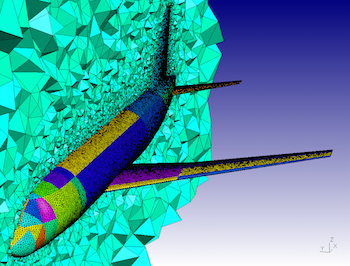

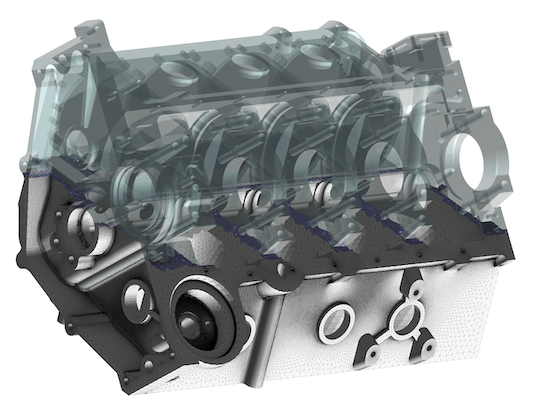
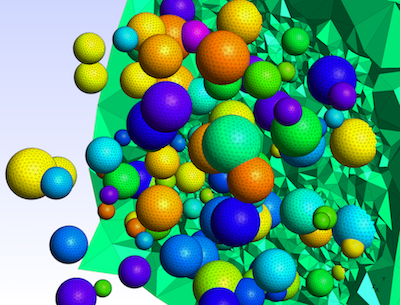
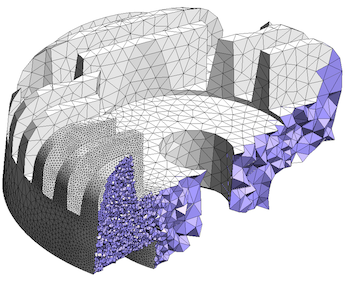
Gmsh is an open source 3D finite element mesh generator with a built-in CAD
engine and post-processor. Its design goal is to provide a fast, light and
user-friendly meshing tool with parametric input and flexible visualization
capabilities. Gmsh is built
around four modules
(geometry, mesh, solver and post-processing), which can be controlled with
the graphical user
interface, from
the command
line, using text files written in Gmsh's
own scripting
language (.geo files), or through the C++, C, Python, Julia and
Fortran application
programming interface.
See this general presentation for a high-level overview of Gmsh and the reference manual for the complete documentation, which includes the Gmsh tutorial. The source code repository contains the tutorial source files as well as many other examples.
Gmsh is distributed under the terms of the GNU General Public License (GPL):
pip install
            --upgrade gmsh
'
Make sure to read the tutorial and the FAQ before sending questions or bug reports.
git clone
          https://gitlab.onelab.info/gmsh/gmsh.git
'
pip install -i https://gmsh.info/python-packages-dev
        --force-reinstall --no-cache-dir gmsh
' (on Linux systems without
X windows, use python-packages-dev-nox instead of
python-packages-dev)
If you use Gmsh please cite the following reference in your work (books, articles, reports, etc.): C. Geuzaine and J.-F. Remacle. Gmsh: a three-dimensional finite element mesh generator with built-in pre- and post-processing facilities. International Journal for Numerical Methods in Engineering 79(11), pp. 1309-1331, 2009. You can also cite additional references for specific features and algorithms.
Please report all issues
on https://gitlab.onelab.info/gmsh/gmsh/issues.
Gmsh is copyright (C) 1997-2022 by C. Geuzaine and J.-F. Remacle (see the CREDITS file for more information) and is distributed under the terms of the GNU General Public License (GPL) (version 2 or later, with an exception to allow for easier linking with external libraries).
In short, this means that everyone is free to use Gmsh and to redistribute it on a free basis. Gmsh is not in the public domain; it is copyrighted and there are restrictions on its distribution (see the license and the related frequently asked questions). For example, you cannot integrate this version of Gmsh (in full or in parts) in any closed-source software you plan to distribute (commercially or not). If you want to integrate parts of Gmsh into a closed-source software, or want to sell a modified closed-source version of Gmsh, you will need to obtain a commercial license: please contact us for details.
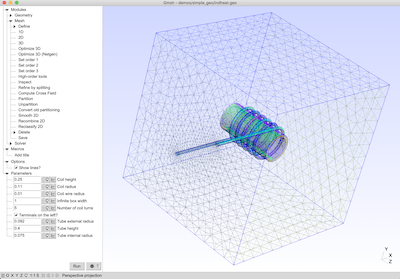
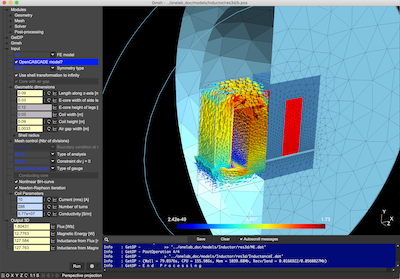
These are two screenshots of the Gmsh user interface, with either the light or dark user interface theme. See the ONELAB web site for more.
The root controller. Handles camera, lighting, and the render pipeline.
| Method | Parameters | Description |
|--------|------------|-------------|
| .add(object) | VisualObject | Inserts a mesh, point cloud, or geometry into the scene. |
| .remove(objectId) | string | Deletes an object by its unique UUID. |
| .setView(angle, distance) | (string, number) | Predefined views: "top", "front", "iso". |
| .exportFrame() | None | Captures current canvas as PNG Blob. |
new DataConnector.Stream("ws://localhost:8080",
  onMessage: (msg) => parse(msg)
)
npm install js-visg-m-s --save
# or
yarn add js-visg-m-s
The JS-VISG-M-S is not a generic part; it is likely from a specialized manufacturer like Thorlabs, Oz Optics, AFW Technologies, or a Chinese OEM (e.g., Flyin, GeZhi). To obtain the official manual:
⚠️ Safety note: The manual always includes a Class 1 laser product warning. Never look directly into the output port, even if the source seems disconnected – residual pump light can be present.
const config =
    renderer: 'webgpu',
    antialias: false,
    fpsLimit: 30,
    modules: ['TooltipModule', 'DataStreamModule'],
    shaders:
        vertex: 'custom.vert',
        fragment: 'custom.frag'
;
const app = new JSVisgMS.Application(config);
| Term | Definition | |------|-------------| | VISG | Visual Geometry – core rendering abstraction layer. | | M-S Mode | Multi-Stream synchronization mode for correlated datasets. | | VMS File | Vectorized Mesh Stream – proprietary binary format for fast loading. | | Tessellation Factor | Number of subdivisions applied to a base mesh. | js-visg-m-s manual
Support & Resources
Note: If
js-visg-m-srefers to a specific internal package in your organization, replace the example URLs and method names with your actual implementation. This draft provides a complete, professional structure for any JS visualization library.
The JS-VISG-M-S is a portable, high-precision voltage and current signal generator, primarily used for testing PLC systems, debugging inverters, and calibrating industrial equipment. Core Specifications Voltage Output: 0–10V DC adjustable (precision: 0.01V). Current Output: 0–22mA adjustable (precision: 0.01mA).
Power Supply Modes: Can be powered via external DC (15–30V), Micro-USB (5V), or an internal 3.7V/1000mAh lithium battery. The root controller
Display: 4-digit LED screen that can show actual values, percentages (0–100%), or frequency (0–50Hz). Operating Instructions & Manual Highlights
The device is controlled via a single precision encoder knob.
Basic Adjustment: Rotate the knob to change output values. Press once (OK) to switch between adjusting current and voltage.
Saving Values: A short press of the knob often saves the current output as the default power-on value; the screen may display "..." to confirm success. npm install js-visg-m-s --save # or yarn add js-visg-m-s
Entering Settings (Menu F001): Press and hold the knob for 2 seconds to enter parameter settings.
Password Access: Some advanced settings (like range calibration in F002) require entering a password sequence by rotating the knob (often + - - +). Wiring Overview
2-Wire/3-Wire/4-Wire: Fully compatible with both active and passive current modes.
Terminals: Typically includes GND, 24V (Power In), AI+ (Current Input/Passive), AIO (Current Output+), and AVO (Voltage Output+).
For full technical details, you can view the JS-VISG-M-S User Manual (PDF) or the updated BRT-LB02G Equivalent Manual.
Are you planning to use this for PLC debugging or as a general calibrator for sensors? U6206.pdf - Uctronics.com
new DataConnector.Inline([ year: 2023, value: 42 ])